
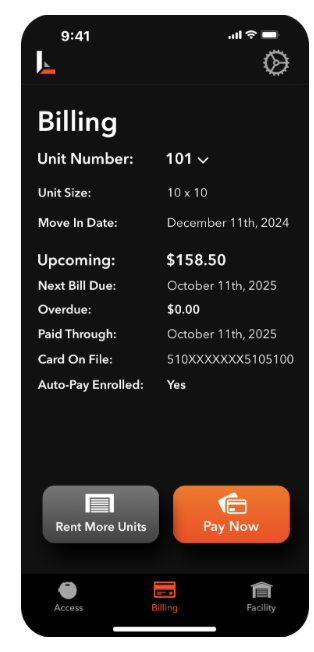
To view and pay your bill, navigate to the Billing section in the bottom navigation bar. Here, you can see pertinent billing information and open a link to pay your bill by pressing Pay Now. After opening the bill pay link, you may be asked to sign in. Sign in using the same credentials you used to set up your rental. If you are unable to sign into the bill pay website, check previous emails from your storage provider regarding your login credentials, or please contact your facility.
You can also rent additional units from this screen by clicking the Rent More Units button.